
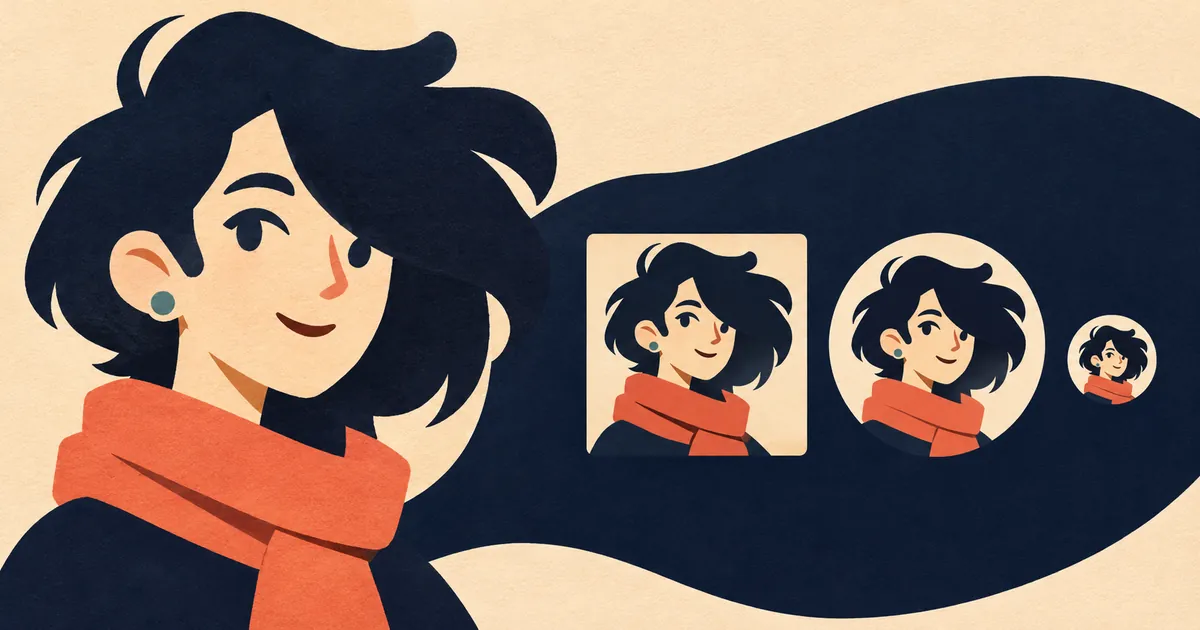
Short answer: For an anime avatar, simplify the head-and-shoulders silhouette, choose one expression cue, protect the eyes from crop and compression, and reduce costume detail to a few recognizable shapes. Test the icon at actual platform size before polishing.
Anime Avatar Design Checklist
Anime-inspired faces can use subtle mouth and nose marks while the eyes and hair carry identity. That balance works in an illustration but needs adjustment in a tiny icon. Lines thin out, highlights vanish, and hair can merge with the background.
Working sequence: Set the crop
For Anime Avatar Design Checklist, begin with set the crop and finish with export and compare. The checkpoints below preserve the evidence and decision path for this specific task.
Set the crop
Choose face, bust, or emblem framing and reserve safe space for a circular mask.
Choose the expression signal
Prioritize eye shape, brow angle, mouth, or head tilt instead of exaggerating all four.
Simplify hair masses
Group strands into a readable outer silhouette plus a small number of interior breaks.
Reduce costume cues
Keep one collar, accessory, color block, or emblem that supports identity near the face.
Export and compare
Inspect 128, 64, and 32 pixel versions beside other icons on both light and dark backgrounds.
Anime Avatar Design Checklist in practice
A complex school uniform may include trim, tie, badge, buttons, and patterned fabric. In the avatar, the collar shape and one tie color may be enough. Moving the badge closer to the face can make it visible, but only if it remains secondary to the expression.
Related reading for Anime Avatar Design Checklist
anime avatar design guide explains how silhouette and focal cues survive a small profile crop; browser-based avatar crop preview lets readers test circle and square crops without uploading an image; and visual design and art style hub connects shape, color, readability, and reference analysis.
Decision test for anime avatar design checklist
Start from the final crop, not the full illustration. Decide the face scale, gaze direction, silhouette, and one distinguishing shape before rendering hair strands, jewelry, or background effects. Check whether the expression remains legible without relying on tiny mouth or eye details. Keep bright accents away from crop edges unless they intentionally guide the eye inward.
Export a clean master, then inspect platform compression for ringing around high-contrast line art. A successful avatar is a compact identity mark, not a miniature poster. Save a flat-color preview early so readability can be corrected before rendering makes large changes expensive. Review the icon beside real interface text rather than judging it alone on a blank canvas.
Limits of the anime avatar design checklist method
Avoid copying a living artist's exact style or using copyrighted character art as if it were an original identity. Build from general visual principles and clearly licensed references.
Sources used for Anime Avatar Design Checklist
Reference set for Anime Avatar Design Checklist: material supporting the visual design decisions on this page.