Does Pikabu Monster upload or store my image?
No. The preview uses a temporary browser URL created from the file you select. The tool has no upload request, account, or storage step.

Choose a source-checked profile, practical culture guide, or responsible zodiac reference.
The Avatar Readability Workbench shows how one local image survives circle and square crops at 128, 64, and 32 pixels. It calculates how much source area a square crop keeps, lets you reposition the focal point, and provides a manual review without pretending to score design quality.
Prepare the source with the anime avatar design checklist, then use the visual design guide collection to review hierarchy, contrast, and ethical reference use.
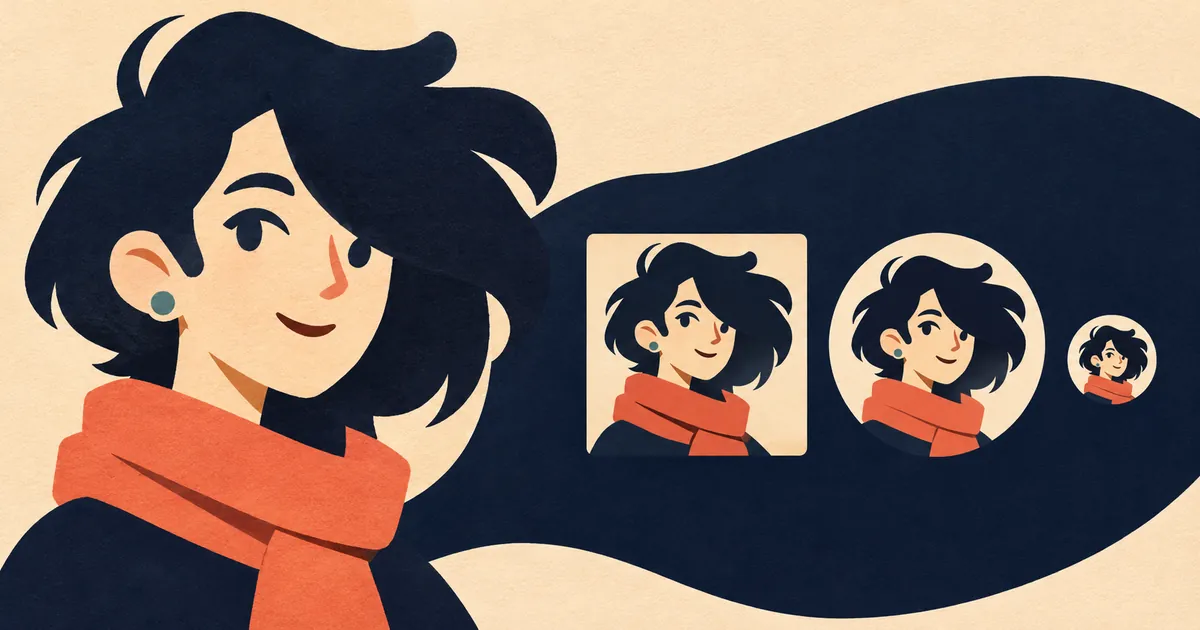
Load one source image, then inspect crop loss, focal position, background separation, and small-size recognition.
Source dimensions, aspect ratio, file size, and retained square-crop area will appear here.
Choose an image to compare both crop shapes at three real interface sizes.
These are observations you make, not an automated score.
Start with the circle crop, then inspect the 32-pixel preview.
Positioning is only one part of the task. Work through the crop in this order so extra detail does not hide a weak focal point.
The sizes are diagnostic checkpoints, not universal upload requirements. A platform may rescale the same file differently across its interface.
| Preview | Typical design question | What to inspect |
|---|---|---|
| 128 pixels | Does the crop feel intentional? | Face placement, edge space, dominant shape, and obvious compression softness. |
| 64 pixels | Does the identity survive in a compact list? | Silhouette, major contrast boundaries, and one memorable feature. |
| 32 pixels | Can the image still be recognized? | Value separation and shape. Fine texture is no longer dependable. |
The workbench compares the area of the largest centered square with the full rectangular source. A 1200 by 800 image has a largest square of 800 by 800, so the square crop keeps about 67 percent of the source area. This number describes area loss only. It cannot decide whether the removed area matters.
No. The preview uses a temporary browser URL created from the file you select. The tool has no upload request, account, or storage step.
A square image at 512 by 512 pixels or larger gives platforms room to resize. Larger dimensions do not fix a crop with important features against the edge.
Small comment icons and compact lists can display avatars near that size. A design that works only when enlarged may lose its expression, silhouette, or identifying accessory in normal use.
It measures the percentage of the rectangular source area kept by its largest square crop. It describes area loss, not visual quality, and cannot know whether the removed detail is important.
No. This is a review workbench for crop position and small-size clarity. Make final edits and exports in an image editor after deciding what the source needs.
The supporting design method for silhouette, focal cues, circular safe areas, accessibility checks, and export decisions.
Reference for image dimensions, formats, responsive delivery, and avoiding unnecessary file weight.
Background for text contrast evaluation. Avatar visibility still needs to be checked in the real interface because the image itself is not body text.
Related methods for visual hierarchy, silhouette, crop decisions, and ethical style study.